

April 1 comes and goes. The pranks and fake announcements that have you second-guessing everything on April Fools Day disappear.
Unfortunately, scammers don't get the memo.
Spring marks one of the busiest seasons for cybercriminals. It's not due to carelessness, but because busy professionals are often distracted and rushing through their day. This makes it easier for almost-plausible scams to slip by unnoticed until the damage is done.
Let's explore three current scams that target sharp, well-intentioned employees just trying to stay on top of their workload.
As you read, ask yourself: Would every member of my team take the time to recognize these threats?
Scam #1: The Toll Road or Parking Fee Scam Text
An employee receives a text alert:
"You have an unpaid toll balance of $6.99. Please pay within 12 hours to avoid late fees."
The message references a real toll system like E-ZPass, SunPass, or FasTrak relevant to their state. The small amount doesn't raise suspicion. Between meetings, they click the link, pay, and continue working.
But the link is fraudulent.
In 2024 alone, the FBI got over 60,000 reports of fake toll texts, with a 900% spike in 2025. Researchers uncovered more than 60,000 fake domains mimicking state toll providers—showing just how lucrative this scam is. Some messages even target residents in states without toll roads.
It works because $6.99 feels insignificant and many have recently used toll roads or parking, making the alert seem believable.
The best defense: Official toll agencies never demand instant payment via text. Your team should never pay through text links but always verify by visiting the official website or app directly. Also, avoid replying to such texts—even with "STOP"—to prevent confirming your number to scammers.
Remember: Convenience entices, but strict payment procedures protect.
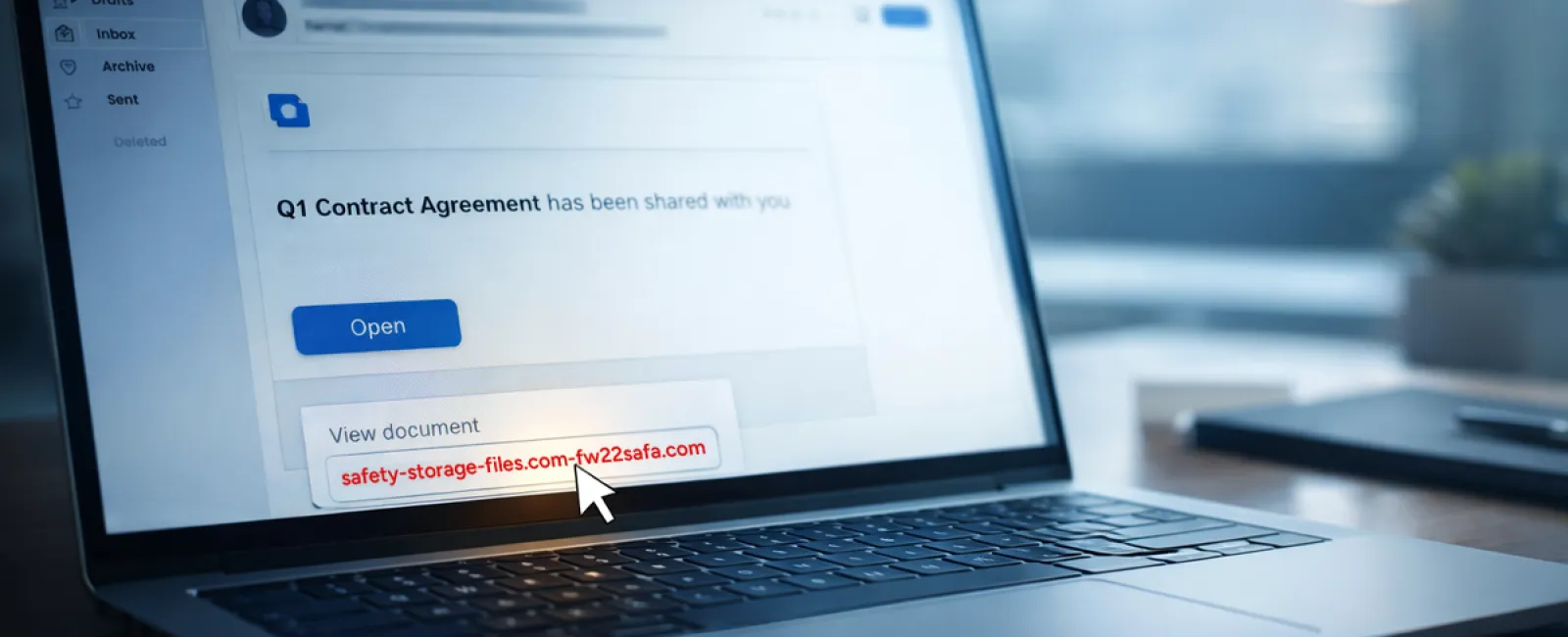
Scam #2: Fake Shared File Alert
This scam blends seamlessly into daily routines.
An employee gets an email that a document was shared with them—often a contract via DocuSign, a spreadsheet in OneDrive, or a Google Drive file.
The sender's name and email formatting look legitimate and familiar.
They click, log in with their work credentials, unknowingly handing access to attackers who then infiltrate your company's cloud environment.
Phishing attacks using trusted platforms like Google Drive, DocuSign, Microsoft, and Salesforce surged 67% in 2025 (KnowBe4 Threat Labs). Google Slides phishing links alone increased more than 200% in six months.
Employees are seven times likelier to trust links from OneDrive or SharePoint notifications than random emails since they mimic genuine alerts.
Even more concerning, attackers sometimes use compromised accounts to send these notifications from legitimate servers, bypassing spam filters.
The protective approach: Train employees not to click links in unexpected shared file emails. They should log into the platform directly to verify the file's existence. Enable IT settings to restrict external file sharing and activate alerts for suspicious login activity—quick measures that make a significant impact.
Simple habits create strong cybersecurity.
Scam #3: Highly Polished Email Scams
Gone are the days when phishing emails were easy to spot by poor grammar and strange formatting.
Today, AI-generated phishing messages have a 54% click rate versus only 12% for human-created ones—a more than fourfold increase.
These emails expertly reference actual companies, roles, and workflows gathered swiftly from LinkedIn and corporate websites, making them nearly indistinguishable.
Targeted scams now focus on specific departments: HR and payroll receive fake employee verification requests, finance teams get vendor payment change demands. One test found 72% of employees engaged with vendor impersonation emails, a 90% jump compared to other phishing types. These messages are professional, urgent—but not alarmist—blending into ordinary inbox traffic.
Defense strategy: Any request for credentials, payment info, or sensitive data must be confirmed via an alternative channel—phone call, chat, or face-to-face. Employees should hover over email addresses to verify domains before clicking and treat urgent tones as red flags.
True security informs calmly, without panic.
Bottom Line
All these scams thrive on familiarity, authority, timing, and the urge to act quickly.
Therefore, the risk isn't careless employees but systems that assume everyone will always think twice and respond perfectly under pressure.
If a single rushed click can jeopardize your operations, it's not a personnel issue but a process flaw.
The good news? Flawed processes can be fixed.
How We Support You
Most business owners don't want another project or the burden of educating their entire team on what not to click.
They want assurance their business isn't silently vulnerable.
If you're concerned about your team's risks—or know someone who should be—let's connect. We offer straightforward discovery calls covering:
- The latest risks affecting businesses like yours
- Common vulnerabilities in everyday workflows
- Practical strategies to reduce exposure without slowing productivity
No pressure, no scare tactics. Just clear conversations to identify and address your concerns.
Click here or give us a call at 817-589-0808 to schedule your free 30-Minute Discovery Call.
If this doesn't apply to you, feel free to share with someone who'd benefit. Sometimes awareness is all it takes to turn a potential click into a wise decision.


